

- Quick Answer
- Why Freezer Error Codes Appear
- Common Freezer Error Codes
- Temperature Sensor Errors
- Defrost System Errors
- Evaporator Fan Errors
- Control Board & Communication Errors
- Step-by-Step Troubleshooting
- Frequently Asked Questions
- Professional Freezer Repair
Quick Answer
If your freezer is displaying an error code, the appliance has detected a problem with temperature regulation, airflow, sensors, the defrost system, fans, or electronic controls. Some freezer error codes are caused by temporary issues, while others indicate component failures that require repair.
Book Online and Save $25
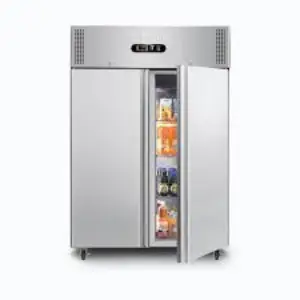
Modern freezers constantly monitor internal temperatures, airflow, and electrical components. When something operates outside normal limits, the control board displays a freezer error code to help identify the problem before food spoilage or component damage occurs.
Although error code definitions vary by manufacturer, most codes fall into several common categories.
Technician Insight
Many freezer error codes are triggered by airflow restrictions, excessive frost buildup, or temperature sensor problems rather than major mechanical failures.
Many freezer error codes are triggered by airflow restrictions, excessive frost buildup, or temperature sensor problems rather than major mechanical failures.
Why Freezer Error Codes Appear
A freezer may display an error code when it detects:
- Temperature sensor failures
- Defrost system malfunctions
- Evaporator fan problems
- Control board communication errors
- Door switch issues
- Electrical supply irregularities
- Airflow restrictions
These diagnostic systems are designed to protect the appliance and simplify troubleshooting.
Common Freezer Error Codes
| Error Category | Possible Cause | First Action |
|---|---|---|
| E1 / E2 | Temperature sensor fault | Reset power and monitor temperatures |
| Frost / Defrost Error | Defrost system issue | Inspect for excessive frost |
| Fan Error | Evaporator fan obstruction | Check for ice buildup |
| Door Error | Door switch or seal problem | Inspect door closure |
| Communication Error | Control board issue | Perform complete reset |
Temperature Sensor Errors
Temperature sensors help the freezer maintain stable cooling conditions.
Common symptoms include:
- Incorrect temperature readings
- Constant compressor operation
- Unexpected alarms
- Cooling inconsistencies
Sensor-related freezer error codes are among the most common electronic faults.
Defrost System Errors
The defrost system prevents excessive ice accumulation on evaporator coils.
When the system fails:
- Ice builds up rapidly
- Airflow becomes restricted
- Cooling performance declines
- Error codes may appear
Heavy frost accumulation often indicates a heater, thermostat, or defrost control problem.
Evaporator Fan Errors
The evaporator fan distributes cold air throughout the freezer.
Signs of fan-related issues include:
- Uneven temperatures
- Weak airflow
- Loud noises
- Intermittent cooling
Ice buildup around the fan assembly is a common cause of freezer fan error codes.
Control Board & Communication Errors
Control boards coordinate every major freezer function.
Symptoms of board-related faults may include:
- Display glitches
- Multiple error codes
- Random resets
- Unresponsive controls
- Temperature instability
Persistent communication errors usually require professional diagnostics.
Step-by-Step Troubleshooting
Safety Reminder: Protect food first by minimizing door openings if freezer temperatures are rising.
1. Record the Error Code
Take a photo of the display before resetting power.
2. Check Door Closure
Inspect gaskets and ensure the door seals completely.
3. Verify Airflow
Remove items blocking vents and internal air circulation.
4. Inspect for Frost Buildup
Look for excessive ice around vents or rear panels.
5. Perform a Power Reset
Unplug the freezer for 5 minutes and restart.
6. Monitor Performance
Observe temperatures and check if the error returns.
Frequently Asked Questions
What do freezer error codes mean?
They indicate the freezer has detected an operational problem involving sensors, airflow, cooling, or electronic controls.
Can I clear a freezer error code myself?
Many temporary errors can be cleared with a power reset, but recurring codes usually indicate a real fault.
Why does the same freezer error code keep returning?
The underlying component problem has not been resolved and requires further diagnosis.
Can power outages cause freezer error codes?
Yes. Voltage fluctuations and sudden power interruptions can trigger temporary electronic errors.
When should I call a technician?
If the error code returns repeatedly, temperatures rise, or cooling performance declines.
Professional Freezer Repair
If your freezer continues displaying error codes after resetting power and performing basic troubleshooting, professional service may be necessary.
Technicians can diagnose sensor failures, fan problems, defrost system faults, control board issues, and electrical problems before they result in food loss or major component damage.
Maintenance Tip:
Keeping vents clear, cleaning door gaskets, and preventing excessive frost buildup can help reduce many common freezer error codes and improve overall reliability.


