
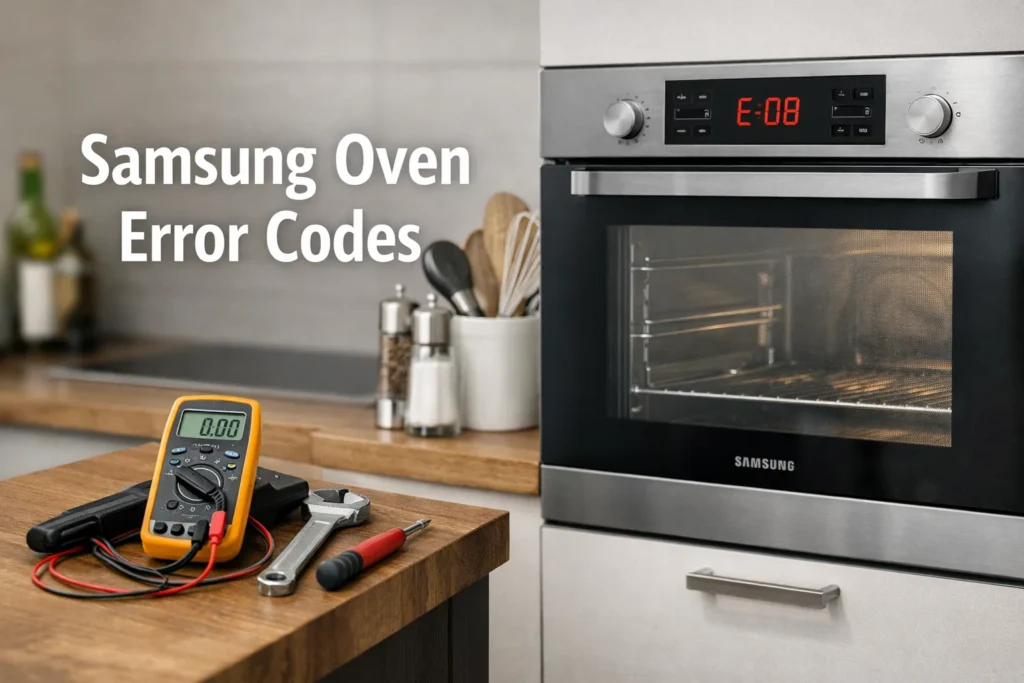
When your oven suddenly stops working and a strange combination of letters and numbers appears on the display, it can feel frustrating and confusing. Understanding Samsung oven error codes is the first step toward solving the problem quickly — and sometimes even fixing it yourself.
In this guide, you’ll learn what the most common codes mean, what causes them, and practical steps for Samsung oven troubleshooting that can help restore normal operation.
Why Samsung Oven Error Codes Appear
Modern ovens are equipped with smart diagnostic systems. These systems detect irregularities such as overheating, sensor failures, communication issues, or door malfunctions. When something goes wrong, the appliance shows Samsung oven error codes to help identify the fault.
Common reasons include:
- Temperature sensor problems
- Power supply interruptions
- Control board glitches
- Wiring or connection failures
- Door lock or latch issues
Sometimes, Samsung oven troubleshooting is as simple as resetting the appliance. In other cases, you may need professional Samsung oven repair.
Most Common Samsung Oven Error Codes
Below is a practical overview of the most frequently reported Samsung oven error codes and what they typically indicate.
| Error Code | Meaning | Possible Cause | Quick Fix |
|---|---|---|---|
| SE / 5E | Keypad or control panel error | Moisture or stuck button | Power reset and panel cleaning |
| C-21 | Temperature sensor fault | Loose wiring or sensor failure | Check connections |
| E-08 | Communication error | Control board malfunction | Full reset or technician visit |
| C-d0 | Door lock issue | Latch or motor problem | Inspect door mechanism |
| C-F2 | Overheating detected | Cooling fan or airflow blockage | Allow cooling and clear vents |
Knowing these Samsung oven error codes can save time and reduce stress when diagnosing the issue.
Samsung Oven SE Error: Causes and Fixes
One of the most common alerts users encounter is the Samsung oven SE error. This code usually relates to the touch control panel.
Possible Causes
- Moisture trapped inside the control panel
- Grease buildup on touch buttons
- Stuck or damaged keypad
- Short circuit in the membrane switch
What You Can Do
Try this step-by-step Samsung oven troubleshooting approach:
- Turn off power at the breaker for at least 5 minutes.
- Wipe the control panel with a dry microfiber cloth.
- Restore power and test the oven.
- If the Samsung oven SE error returns, the control panel may need replacement.
Persistent keypad issues often require professional Samsung oven repair, especially if the display becomes unresponsive.
Samsung Oven Not Heating: Error Codes Linked to Temperature Issues
If your appliance powers on but cooking results are poor, you may also notice codes connected with Samsung oven not heating properly.
Common Related Codes
- C-21
- C-31
- E-27
These often point to temperature sensor or heating element faults.
DIY Checks Before Calling Service
When dealing with Samsung oven not heating, try the following:
- Verify the oven is not in demo mode
- Check circuit breaker and power supply
- Inspect visible wiring for damage
- Test preheat function
If heating problems continue along with Samsung oven error codes, it’s safer to arrange qualified Samsung oven repair.
Door Lock and Safety Error Codes
Some Samsung oven error codes are triggered by safety mechanisms — particularly the door lock system.
These can occur during:
- Self-clean cycles
- Power outages
- Mechanical wear
If you see a door-related code:
- Wait for the oven to cool completely
- Gently check that nothing blocks the latch
- Perform a power reset
Repeated failures suggest a faulty motor or switch, requiring professional Samsung oven troubleshooting beyond basic home fixes.
When a Simple Reset Can Solve the Problem
Many homeowners are surprised how often a reset resolves Samsung oven error codes.
How to Reset a Samsung Oven
- Turn off the oven at the breaker
- Wait 3–10 minutes
- Restore power
- Set the clock and test cooking mode
This can clear temporary glitches affecting sensors, communication systems, or display functions. However, if Samsung oven not heating or control issues persist, deeper diagnostics are needed.
Signs You Need Professional Samsung Oven Repair
While DIY Samsung oven troubleshooting can be effective, certain symptoms indicate it’s time to book expert service:
- Error codes appear repeatedly after reset
- Burning smell or unusual noises
- Oven shuts off during cooking
- Display flickers or stops working
- The Samsung oven SE error keeps returning
Professional technicians use advanced tools to test sensors, control boards, and internal wiring safely.
Preventing Future Samsung Oven Error Codes
Regular maintenance can reduce the chances of seeing Samsung oven error codes again.
Helpful Prevention Tips
- Keep vents and cooling fans unobstructed
- Clean spills promptly to avoid keypad damage
- Avoid slamming the oven door
- Use self-clean cycles correctly
- Schedule periodic appliance inspections
Consistent care improves performance and helps avoid sudden Samsung oven not heating situations.
Final Thoughts
Understanding Samsung oven error codes gives you confidence to respond quickly when something goes wrong. In many cases, basic Samsung oven troubleshooting like resetting the appliance or checking connections can restore functionality.
However, if problems like the Samsung oven SE error or persistent Samsung oven not heating continue, professional Samsung oven repair ensures safety, efficiency, and long-term reliability.
Taking action early can save money, prevent bigger breakdowns, and keep your kitchen running smoothly.