

Modern Samsung dryers are designed to make laundry easier, but when an error code appears on the display, it can quickly become confusing. Understanding Samsung dryer codes helps you diagnose the problem faster and decide whether you can fix it yourself or if professional repair is required.
In this guide, you’ll learn what the most common Samsung dryer error codes mean, why they appear, and what steps you can take to resolve them safely.
Why Samsung Dryer Codes Appear
Samsung dryers include built-in diagnostic systems. When the machine detects a malfunction or unusual condition, it displays Samsung dryer codes on the control panel.
These Samsung dryer error codes are designed to help identify specific issues such as:
- Airflow restrictions
- Temperature sensor failures
- Heating element problems
- Communication errors between internal components
- Power supply issues
While some Samsung dryer codes indicate simple maintenance tasks, others may require professional service.
Most Common Samsung Dryer Error Codes
Below is a helpful table explaining the most frequent Samsung dryer codes, what they mean, and how you might fix them.
| Samsung Dryer Code | Meaning | Possible Cause | What You Can Do |
|---|---|---|---|
| tE / tE1 / tE2 | Temperature sensor error | Faulty thermistor or wiring issue | Unplug the dryer and check wiring connections; replace thermistor if necessary |
| HE / HE2 | Heating error | Heating element failure or restricted airflow | Clean lint filter and vent system; inspect heating element |
| dE | Door error | Door not fully closed or faulty door switch | Ensure door is shut properly; check door latch |
| 5E | Drain issue (vent blockage warning) | Clogged vent or lint buildup | Clean the dryer vent and exhaust duct |
| AE | Communication error | Control board communication failure | Reset the dryer; professional diagnosis may be required |
| FE | Power supply error | Incorrect voltage or power supply problem | Verify outlet voltage and power connections |
Recognizing these Samsung dryer error codes can save time and prevent unnecessary service calls.
How to Reset Samsung Dryer Codes
Sometimes Samsung dryer codes appear due to temporary glitches. Resetting the dryer may clear the error.
Basic Reset Steps
- Turn off the dryer.
- Unplug the appliance from the power outlet.
- Wait about 5 minutes.
- Plug the dryer back in.
- Restart the drying cycle.
If the Samsung dryer error codes return after the reset, further troubleshooting is necessary.
Airflow Problems and Dryer Error Codes
One of the most common reasons for Samsung dryer codes is restricted airflow. Poor ventilation can cause overheating, longer drying times, and error messages.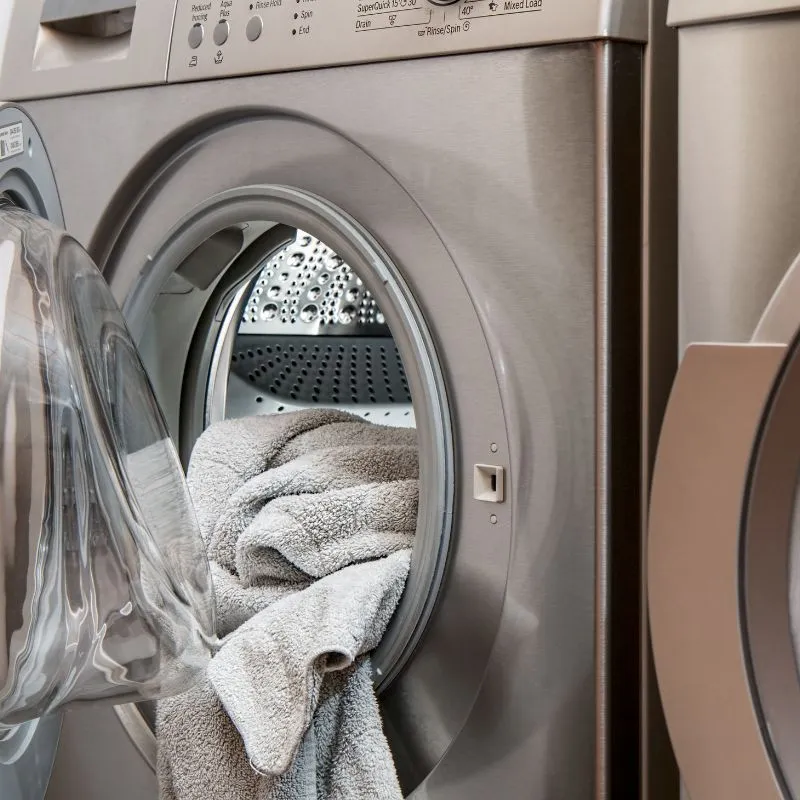
Signs of Airflow Issues
- Clothes take longer than usual to dry
- Dryer feels excessively hot
- Repeated Samsung dryer error codes related to heating
- Burning smell or lint accumulation
What to Check
- Clean the lint filter after every cycle
- Inspect the dryer vent hose for blockages
- Make sure the external vent flap opens properly
- Avoid crushing or bending the vent hose behind the dryer
Regular maintenance prevents many Samsung dryer error codes from appearing in the first place.
When Samsung Dryer Codes Indicate Hardware Failure
Some Samsung dryer codes signal internal component failure. These situations usually require technical repair.
Examples include:
- Burned heating elements
- Failed thermistors
- Damaged control boards
- Broken door switches
Attempting complex repairs without proper tools can lead to further damage. If troubleshooting steps do not resolve the issue, it’s best to contact a qualified appliance technician.
Preventing Samsung Dryer Error Codes
Preventive maintenance significantly reduces the chance of seeing Samsung dryer error codes.
Follow these simple practices:
- Clean the lint filter after every load
- Inspect and clean the dryer vent every few months
- Avoid overloading the dryer
- Use proper drying cycles for different fabrics
- Schedule professional maintenance periodically
Taking these steps helps keep your dryer efficient and prevents many Samsung dryer codes from appearing.
When to Call a Professional Dryer Repair Service
While some Samsung dryer error codes can be resolved with simple maintenance, others require specialized tools and expertise.
Consider professional repair if:
- The same Samsung dryer codes appear repeatedly
- The dryer is not heating at all
- Electrical or control board errors occur
- You suspect internal component failure
A trained technician can quickly diagnose the issue, replace faulty parts, and restore safe operation.