
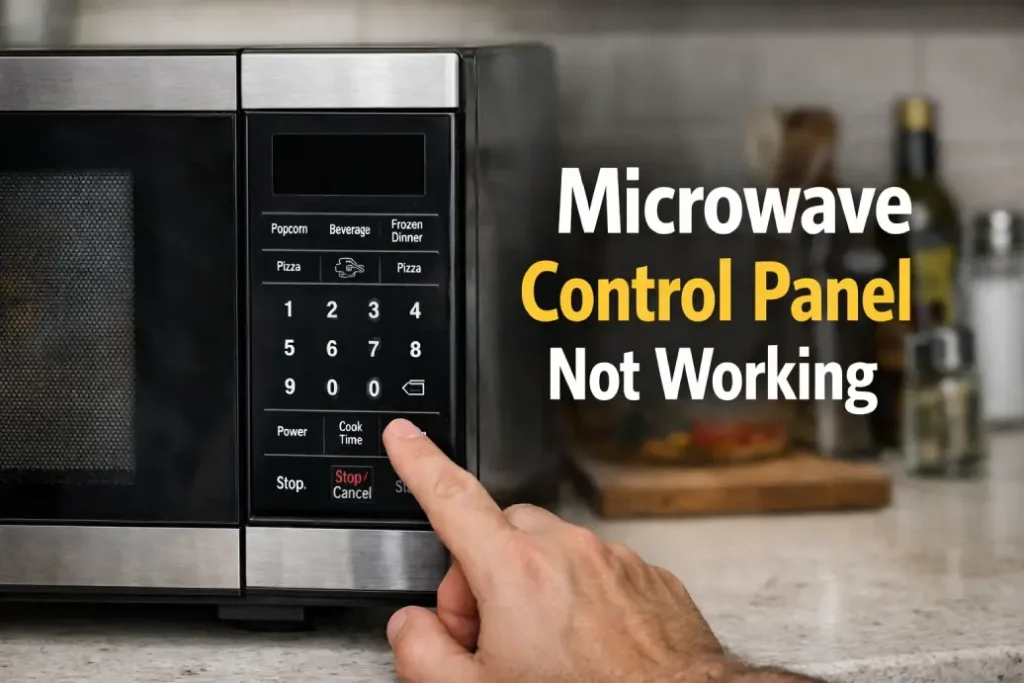
The moment you realize your microwave control panel not working, cooking turns into a guessing game: buttons don’t respond, the display goes blank, or the keypad beeps but nothing happens. The good news is that many issues are simple—power, lock modes, dirty contacts—while others point to parts that need professional attention.
Below is a practical, reader-friendly guide to diagnose and fix the most common reasons a microwave control panel not working at home.
What Exactly Is Happening?
When people say their microwave control panel not working, they usually mean one of these:
- The display is dead (no lights, no time).
- The display works, but buttons don’t respond.
- Some buttons work, others don’t.
- The panel responds slowly or randomly.
- It beeps, but won’t start.
Each symptom suggests a different path, so start with the basics.
Quick Safety Note Before You Touch Anything
Microwaves contain high-voltage components that can remain dangerous even after unplugging. The steps below focus on safe checks you can do without opening the microwave’s metal casing. If a fix requires internal access, treat it as “technician territory.”
Step-by-Step Checks You Can Do Safely
1) Confirm the Outlet and Power Supply
It sounds obvious, but power issues are the #1 reason a microwave control panel not working suddenly.
Try this:
- Plug a kettle or lamp into the same outlet.
- If it doesn’t work, reset your breaker or try a different socket.
- Avoid extension cords—microwaves can draw high current.
If the outlet is fine and the microwave still looks dead, keep going.
2) Perform a Hard Reset
A microcontroller glitch can make a microwave control panel not working even though the unit has power.
Do this:
- Unplug the microwave.
- Wait 2–5 minutes.
- Plug it back in.
If the panel wakes up, you likely had a temporary logic freeze.
3) Disable Control Lock / Child Lock
Many models have a lock mode that makes it look like the microwave control panel not working.
Common unlock methods:
- Press and hold Stop/Cancel for 3–5 seconds
- Press and hold Lock or Timer for 3–5 seconds
- Hold Start on some models
If you see “LOCK” or a key icon, this is very likely your issue.
4) Check Door Closure and Latch Alignment
Microwaves use door interlock switches. If the door doesn’t register as fully closed, the control panel may act odd—or the unit won’t start.
What to do:
- Open/close the door firmly.
- Look for debris around the latch area.
- If the door feels loose or misaligned, that’s a clue.
A misreading door switch can mimic a microwave control panel not working situation.
When the Display Works but Buttons Don’t
5) Clean the Control Panel Surface
Grease, steam residue, and cleaner overspray can seep into the edges and interfere with touch or membrane keys.
Safe cleaning:
- Unplug the microwave.
- Use a slightly damp microfiber cloth with mild soap.
- Dry thoroughly.
- Avoid spraying cleaner directly on the panel.
If after cleaning the microwave control panel not working persists, the problem may be deeper than surface grime.
6) Moisture After Heavy Steam Cooking
If you cooked something very steamy, condensation can temporarily affect touch controls.
Try:
- Unplug the unit
- Leave the door open for 30–60 minutes to air out
- Plug back in and test
This is a common “it fixed itself” scenario behind a microwave control panel not working complaint.
If Only Some Buttons Work
7) Worn Membrane Keypad or Touch Panel Failure
If “Start” works but number keys don’t (or vice versa), the keypad matrix may be failing. This is a classic partial failure where the microwave control panel not working is selective.
Typical signs:
- Certain keys require hard presses
- A row/column of keys is dead
- Inputs double-register
In many models the keypad is integrated with the control panel assembly—replacement can be straightforward for a technician, but less so for DIY.
If the Panel Is Random, Flickering, or Beeping
8) Control Board Issues
 A failing control board can cause resets, flicker, or phantom beeps. If your microwave control panel not working comes with erratic behavior, the board is a prime suspect.
Other clues:
- Display dims or flashes
- Random start attempts (rare but serious)
- Burning smell or visible discoloration (unplug immediately)
This is usually not a safe DIY fix.
Common Hidden Causes People Miss
9) Blown Internal Fuse (Likely Technician)
A microwave may have power at the outlet but be completely dead if an internal fuse blows. This can happen after a surge or a door-slam event.
Because checking it involves removing the casing, treat it as professional work—even if the microwave control panel not working seems like a simple fuse.
10) Failed Door Interlock Switch (Likely Technician)
If the microwave won’t start despite a working display, or the panel acts inconsistent, the interlock switches may be worn. Again: internal access required.
When It’s Smarter to Repair vs Replace
Consider replacement if:
- The microwave is very old and parts are pricey
- Multiple symptoms appear (panel + heating + door issues)
- The repair cost approaches half the price of a new unit
Consider repair if:
- It’s a built-in microwave (replacement is costly)
- The issue is isolated (keypad or board only)
- The unit is otherwise in excellent condition
If the microwave control panel not working is the only problem, repair often makes sense—especially for built-ins.
When to Call a Technician Immediately
Stop troubleshooting and call for service if:
- You smell burning or see smoke
- The microwave trips the breaker repeatedly
- The unit starts on its own or behaves dangerously
- You hear loud buzzing not present before
- The microwave control panel not working is paired with heating failure and odd noises
A microwave control panel not working can be as simple as a locked keypad or a frozen microcontroller, or as serious as a failing control board. Start with safe checks: power, reset, lock mode, cleaning, and door closure. If symptoms are partial, random, or electrical in nature, professional diagnostics is the safest move.
If you tell me your microwave brand/model and what exactly you see on the display (blank, dim, shows time, error code), I’ll narrow the most probable cause and the best next step.