
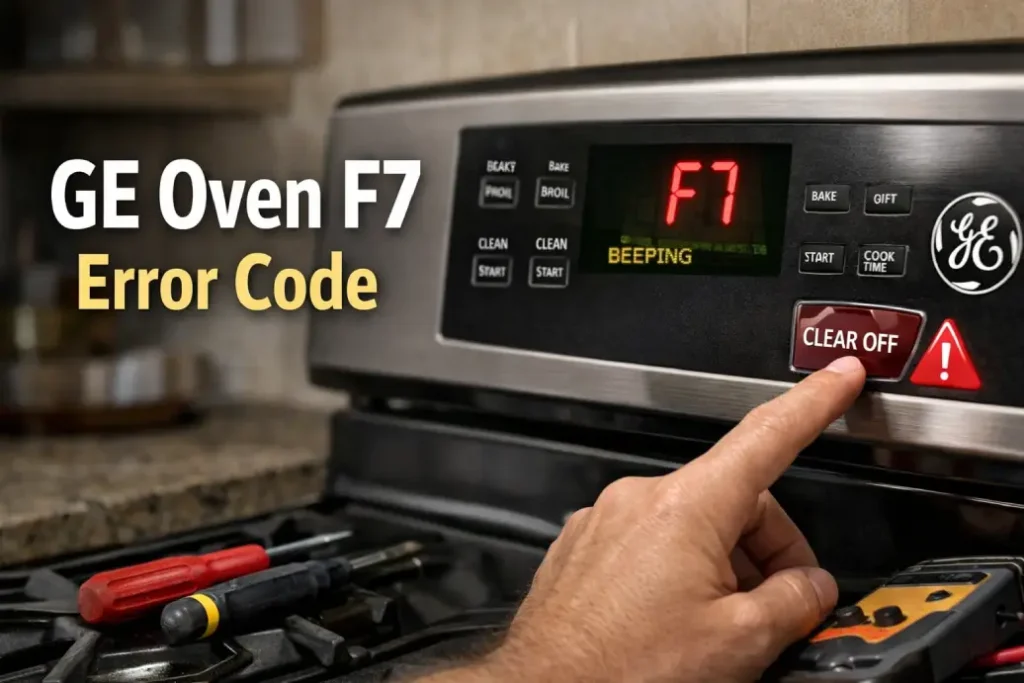
If your kitchen routine suddenly stops because of the GE oven F7 error code, you’re not alone. This common fault message can appear unexpectedly, often accompanied by beeping or an unresponsive control panel. The good news is that in many cases, you can diagnose — and sometimes even fix — the issue yourself.
In this guide, you’ll learn what the GE oven F7 error code means, why it happens, and how to fix GE oven F7 error safely and effectively.
What Does the GE Oven F7 Error Code Mean?
The GE oven F7 error code typically indicates a problem related to the oven’s keypad or electronic control system. Most often, it signals a GE oven keypad stuck condition or a communication issue between the touch panel and the main control board.
When the oven detects continuous or unintended input from the keypad, it assumes a malfunction and displays the GE oven F7 error code to prevent unsafe operation.
Common symptoms include:
- Constant beeping
- Unresponsive buttons
- Oven turning on or off unexpectedly
- Display flashing or locking up
Understanding whether the issue is a GE oven keypad stuck situation or a deeper GE oven control board problem is the first step toward solving it.
Main Causes of GE Oven F7 Error
Several underlying issues can trigger the GE oven F7 error code. While the keypad is the usual suspect, other components may also be involved.
1. Stuck or Shorted Keypad
A GE oven keypad stuck fault is the most frequent reason the error appears. Grease, moisture, or wear can cause internal circuits in the touchpad to remain “pressed.”
Over time, repeated use can degrade the membrane beneath the buttons. When this happens, the oven may interpret phantom commands — resulting in the GE oven F7 error code.
2. Faulty Electronic Control Board
Another possibility is a GE oven control board problem. The control board processes signals from the keypad and manages heating cycles. If it misreads signals or develops internal faults, you may see the GE oven F7 error code even when the keypad is fine.
3. Wiring or Connection Issues
Loose ribbon cables or damaged wiring between the keypad and control board can also lead to intermittent communication failures. In such cases, learning how to fix GE oven F7 error may involve inspecting internal connections.
4. Moisture or Power Surges
Steam from cooking, spills, or recent cleaning can affect the keypad circuitry. Likewise, electrical surges may cause temporary GE oven control board problem symptoms that trigger the error message.
Quick Troubleshooting Steps to Fix GE Oven F7 Error
Before scheduling service, try these safe DIY steps to see how to fix GE oven F7 error on your own.
Step 1 — Power Reset the Oven
Sometimes, the GE oven F7 error code appears due to a software glitch.
What to do:
- Turn off the oven at the circuit breaker
- Wait at least 5 minutes
- Restore power and test the oven
If the error disappears, the issue may have been temporary.
Step 2 — Clean and Dry the Keypad
If you suspect a GE oven keypad stuck issue:
- Turn off power first
- Wipe the control panel with a slightly damp cloth
- Dry thoroughly
- Avoid spraying cleaner directly on the panel
This simple step can resolve minor keypad faults and help fix GE oven F7 error without replacing parts.
Step 3 — Observe Button Behavior
Press each button gently and check for:
- Delayed response
- Continuous beeping
- Buttons that feel different
These signs strongly suggest a GE oven keypad stuck condition.
GE Oven F7 Error Troubleshooting Table
| Symptom | Likely Cause | DIY Fix | When to Call Service |
|---|---|---|---|
| Constant beeping with F7 | GE oven keypad stuck | Clean panel, reset power | If error returns |
| F7 appears randomly | Wiring issue | Power reset | Internal inspection needed |
| No button response | GE oven control board problem | None safe for DIY | Board replacement required |
| Error after cleaning or cooking | Moisture in keypad | Let oven dry 24 hours | If persists |
This table helps narrow down whether how to fix GE oven F7 error is a quick fix or a professional task.
When You Need to Replace the Keypad or Control Board
If the GE oven F7 error code keeps coming back, parts replacement may be necessary.
Keypad Replacement Signs
- Persistent GE oven keypad stuck behavior
- Certain buttons always trigger beeping
- Oven starts functions without input
 Replacing the keypad is often cheaper than dealing with a full GE oven control board problem, and many homeowners choose this route first.
Control Board Replacement Signs
- Error remains after keypad replacement
- Display glitches or shuts off
- Oven fails to heat properly
A confirmed GE oven control board problem usually requires professional diagnosis and installation.
Is It Safe to Use the Oven With F7 Error?
In most cases, it’s best to avoid using the appliance when the GE oven F7 error code is active. The system is designed to prevent unsafe heating cycles and electrical faults.
Ignoring the warning may worsen a GE oven control board problem or damage additional components. If you’re unsure how to fix GE oven F7 error, scheduling service can save time and prevent costly repairs later.
Preventing GE Oven Keypad Errors in the Future
To reduce the risk of seeing the GE oven F7 error code again:
- Avoid excessive moisture near the control panel
- Clean gently and regularly
- Protect the appliance from power surges
- Address minor GE oven keypad stuck symptoms early
Routine maintenance can extend the life of both the keypad and help avoid a major GE oven control board problem.
Final Thoughts
The GE oven F7 error code can be frustrating, but it’s often manageable with basic troubleshooting. Learning how to fix GE oven F7 error starts with identifying whether the issue is a GE oven keypad stuck condition or a deeper GE oven control board problem.
While some fixes are simple DIY tasks, recurring errors usually mean it’s time for expert help. If resets and cleaning don’t solve the problem, booking a qualified appliance technician ensures your oven is repaired safely and correctly.