
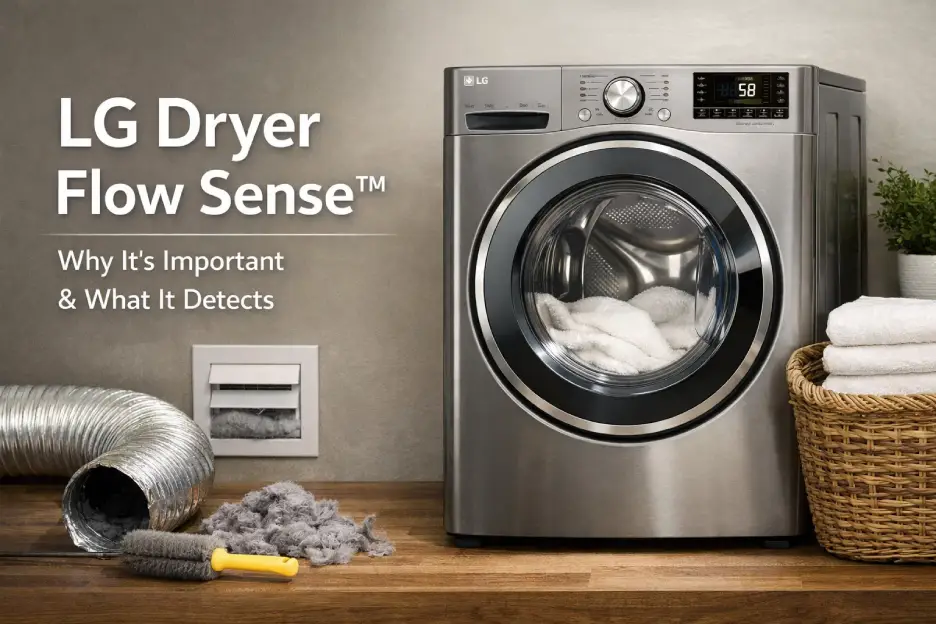
If your LG dryer Flow Sense error suddenly appears on the display, your appliance is trying to tell you something important. This feature is designed to protect your dryer, reduce energy waste, and prevent serious ventilation problems.
In many cases, a LG dryer Flow Sense fix is simple and can be done at home in minutes. In others, the issue may require professional appliance repair service. This guide explains everything you need to know.
What Is LG Dryer Flow Sense?
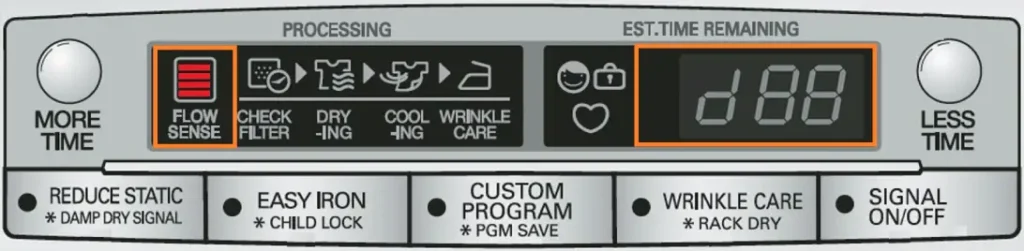
The Flow Sense system is a built-in diagnostic feature that monitors airflow inside your dryer. When airflow becomes restricted, the dryer shows a LG dryer Flow Sense error code (often displayed as d80, d90, or d95).
This warning means your LG dryer not drying properly may be caused by blocked or reduced ventilation.
The goal of this system is to:
- prevent overheating
- improve drying efficiency
- reduce fire risk
- extend appliance lifespan
Ignoring repeated LG dryer Flow Sense error alerts can lead to longer drying cycles, higher utility bills, and internal component damage.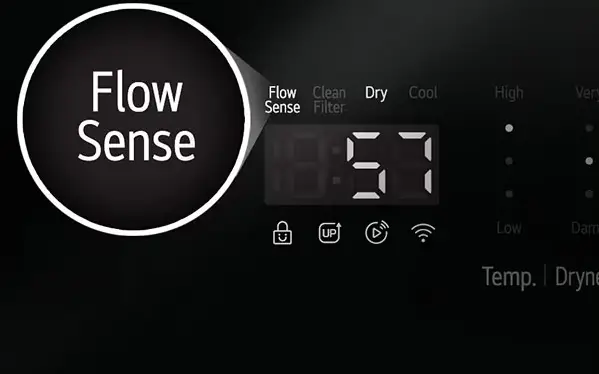
Common Causes of LG Dryer Flow Sense Error
If you are searching for a LG dryer Flow Sense fix, start by identifying the root cause. In most homes, the problem is related to airflow restriction.
Typical reasons include:
- clogged lint filter
- blocked dryer vent hose
- crushed or kinked duct
- excessive vent length
- outdoor vent hood obstruction
- internal blower issues
A LG dryer not drying efficiently is often the first symptom before the LG dryer Flow Sense error appears.
Flow Sense Error Codes Explained
Understanding the specific code helps determine the best LG dryer Flow Sense fix strategy.
| Error Code | Meaning | Airflow Restriction Level | Recommended Action |
|---|---|---|---|
| d80 | Partial blockage | ~80% restricted | Clean lint filter & inspect vent |
| d90 | Severe blockage | ~90% restricted | Deep vent cleaning needed |
| d95 | Critical blockage | ~95% restricted | Stop using dryer & fix ventilation immediately |
If your LG dryer not drying clothes fully, these codes confirm ventilation problems are likely responsible.
Step-by-Step LG Dryer Flow Sense Fix
Before calling a technician, try this practical LG dryer Flow Sense fix process.
Step 1 — Clean the Lint Filter Properly
Remove the filter and wash it with warm water and mild soap. Fabric softener residue can reduce airflow even when the screen looks clean.
This simple step often resolves LG dryer not drying issues.
Step 2 — Inspect the Vent Hose
Pull the dryer away from the wall and check:
- crushed sections
- lint buildup
- loose connections
A restricted hose is a major cause of recurring LG dryer Flow Sense error warnings.
Step 3 — Check the Outdoor Vent Cap
Go outside and make sure:
- the flap opens freely
- there are no nests or debris
- snow or leaves are not blocking airflow
Many homeowners overlook this when troubleshooting a LG dryer Flow Sense fix.
Step 4 — Run a Test Cycle
After cleaning, run the dryer empty for 10–15 minutes.
If the LG dryer Flow Sense error disappears and drying performance improves, the issue was likely ventilation-related.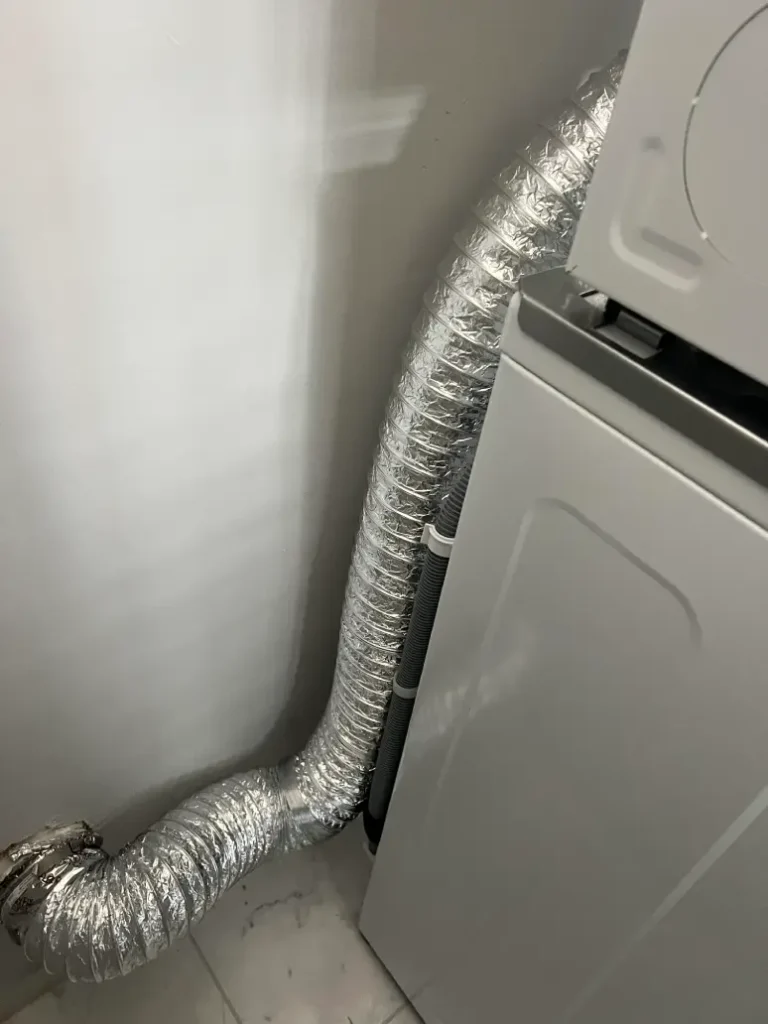
How to Reset LG Dryer Flow Sense
If you’re wondering how to reset LG dryer Flow Sense, follow this simple method:
- Turn the dryer off
- Unplug it for 60 seconds
- Plug it back in
- Run a short cycle
This reset will clear temporary sensor warnings, but it will not fix real airflow problems. If your LG dryer not drying properly continues, further inspection is required.
When to Call a Professional Dryer Repair Service
Sometimes a DIY LG dryer Flow Sense fix is not enough. You should consider booking appliance service if:
- the error returns after full vent cleaning
- drying cycles take much longer than normal
- you notice burning smells or overheating
- the blower motor may be failing
- internal ductwork needs disassembly
Professional technicians use airflow meters and specialized cleaning tools to permanently resolve LG dryer Flow Sense error issues.
Preventing Future Flow Sense Problems
To avoid dealing with another LG dryer Flow Sense fix, follow these maintenance tips:
- clean lint filter after every load
- deep clean vent system every 6–12 months
- keep vent length as short and straight as possible
- avoid plastic or foil ducts
- schedule annual appliance maintenance
Preventive care helps ensure your LG dryer not drying efficiently never becomes a recurring problem.
Final Thoughts
The LG dryer Flow Sense error is not just an annoying message — it is an important safety and performance alert.
In many cases, a proper LG dryer Flow Sense fix involves simple cleaning and ventilation adjustments. However, persistent airflow issues or internal mechanical faults should always be handled by experienced appliance repair professionals.
If your LG dryer not drying clothes properly continues despite troubleshooting, scheduling service can save time, energy costs, and prevent long-term damage.